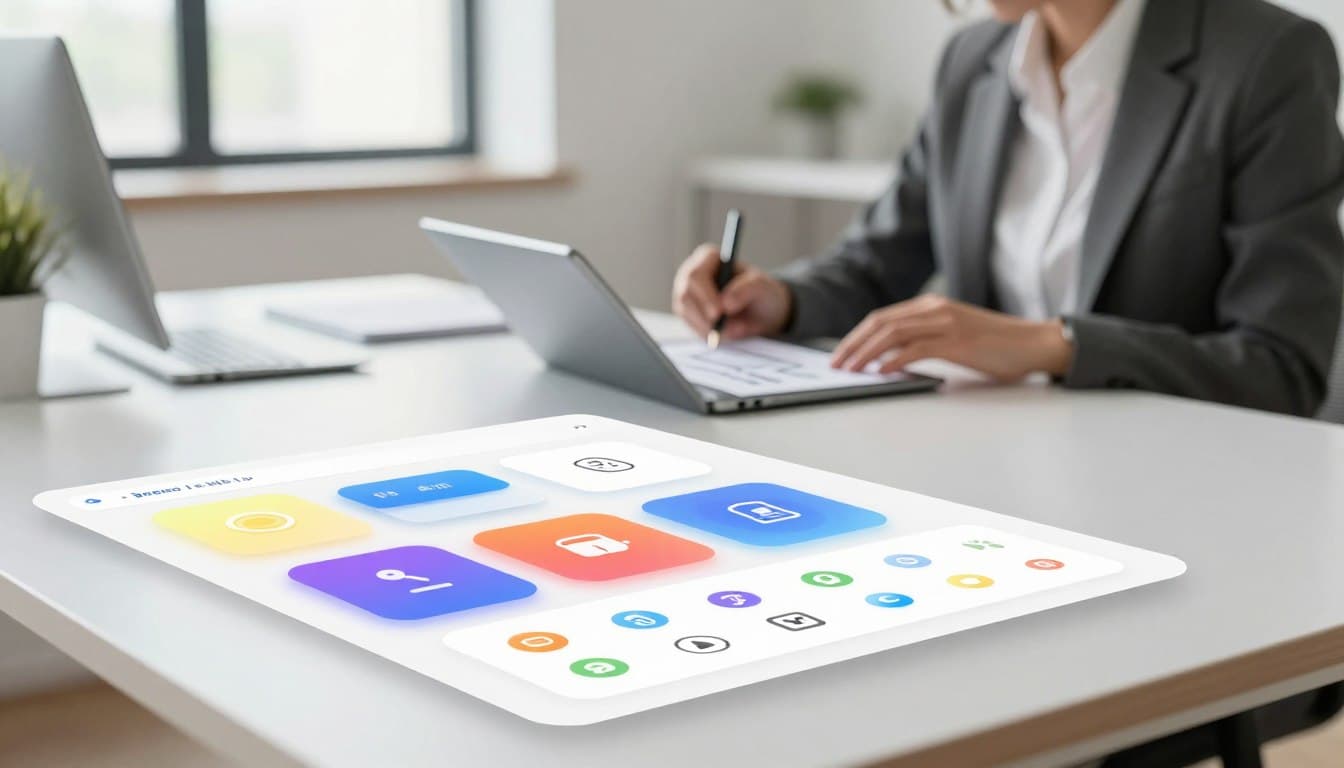
Crafting Delight: Building a Modern Design System Component Library
Anonymous
Crafting Delight: Building a Modern Design System Component Library
Imagine a world where building digital products feels effortless and fun for every developer. A component library provides the essential foundation for this creative freedom. It helps teams maintain visual harmony while moving at lightning speed.
High-quality apps rely on a structured toolkit to provide a consistent visual language. By using these standardized parts, you can focus more on addressing complex user requirements. This approach ensures your product remains stable and scalable over time.
This method effectively reduces friction and makes the building process much more enjoyable for everyone involved. It keeps your creative energy high and helps you stay productive throughout the day. Every team member can contribute to a better product without repeating basic tasks.

Embracing a modern design approach means prioritizing both beauty and function in every element. These organized sets of tools allow your brand to shine on every screen. Let's dive into how these frameworks transform the way we build for the web today.
Key Takeaways
- Accelerate your development cycle by using reusable elements.
- Ensure perfect visual consistency throughout the entire application.
- Streamline the collaborative workflow for your engineering team.
- Create polished user interfaces with significantly less manual effort.
- Expand your digital product offerings smoothly as your business grows.
- Improve the direct communication between creative thinkers and technical builders.
Understanding Design Systems and Component Libraries
Modern design systems rely heavily on component libraries to ensure consistency and efficiency across digital products. A design system is a comprehensive framework that encompasses a set of standards, guidelines, and assets to create cohesive user experiences. At its core, a component library is a collection of reusable UI components that adhere to these standards.
What Makes a Component Library Modern
A modern component library is characterized by its adaptability, scalability, and maintainability. It incorporates the latest frontend technologies and design principles, such asatomic design methodology, to facilitate the creation of complex UI components. Moreover, it is built with accessibility in mind, ensuring that components are usable by everyone, regardless of their abilities.
The Relationship Between Design Systems and Component Libraries
The relationship between design systems and component libraries is symbiotic. A design system provides the overarching framework and guidelines, while a component library implements these guidelines into tangible, reusable components. This synergy enables teams to maintain consistency across products and accelerate development cycles. AsNielsen Norman Groupnotes, "A well-designed component library can significantly reduce design debt and improve the overall user experience."
Why Your Organization Needs a Design System Component Library
In today's fast-paced digital landscape, a well-structured design system component library is no longer a luxury, but a necessity. It serves as the foundation for creating cohesive, user-friendly products that resonate with your audience.
Consistency Across Products and Teams
A design system component library ensures design consistency by providing a single source of truth for all design elements and components. This consistency is crucial for maintaining a strong brand identity across various products and teams.
Accelerated Development Cycles
By leveraging pre-built, tested components, development teams can significantly accelerate their development cycles. This not only reduces the time-to-market for new features but also allows teams to focus on more complex and high-value tasks.
Reduced Design Debt and Technical Overhead
A well-maintained component library helps in reducing design debt by ensuring that design and development teams are aligned. It also minimizes technical overhead by providing reusable components that are optimized for performance.
The benefits of implementing a design system component library can be summarized in the following table:
| Benefit | Description | Impact |
| Design Consistency | Unified design language across products | Enhanced brand identity |
| Accelerated Development | Faster development cycles with pre-built components | Reduced time-to-market |
| Reduced Design Debt | Alignment between design and development teams | Minimized technical overhead |
Laying the Foundation Through Strategic Planning
Before diving into the development of a component library, it's crucial to lay the groundwork through strategic planning. This foundational step ensures that your design system meets the needs of your organization and stakeholders.
Conducting a Comprehensive Component Audit
A thorough component audit is the first step in understanding what already exists within your organization. This involves cataloging current components, identifying duplicates or redundant elements, and analyzing their usage across different products or teams.
| Component Type | Usage Frequency | Redesign Priority |
| Buttons | High | Medium |
| Input Fields | Medium | High |
| Navigation Bars | High | Low |
Defining Your Core Design Principles
Clear design principles guide the development of your component library, ensuring consistency and coherence across your products. These principles should reflect your organization's brand values and design philosophy.
Identifying Stakeholders and End Users
Understanding who will be using your component library is vital. This includes both internal stakeholders, such as developers and designers, and external end-users. Their needs and feedback should inform your design decisions.
Setting Realistic Goals and Timelines
Setting achievable goals and timelines is essential for the successful implementation of your component library. This involves balancing the need for a comprehensive library with the practical constraints of time and resources.
By following these strategic planning steps, you can create a design system component library that is both effective and sustainable.
Establishing Your Design Token System
Design tokens are the fundamental elements that enable a cohesive and scalable design language. They are the building blocks that ensure consistency across your products and teams.
Colors, Typography, and Brand Elements
A robust design token system starts with defining your brand's visual identity. This includes colors, typography, and other brand elements that are used across your products. By standardizing these elements, you ensure a consistent user experience.
Spacing, Sizing, and Layout Systems
In addition to visual identity, a comprehensive design token system also encompasses spacing, sizing, and layout systems. These elements are crucial for creating a harmonious and intuitive interface.
Creating Scalable Token Hierarchies
To ensure scalability, it's essential to create a token hierarchy that is both logical and maintainable. This involves organizing your design tokens in a way that allows for easy updates and flexibility.
Choosing the Right Technology Stack
Selecting the right technology stack is crucial for a successful design system component library. This decision significantly impacts the scalability, maintainability, and overall performance of your design system.
When evaluating your options, consider the following key areas:
Evaluating Frontend Frameworks and Libraries
Frontend frameworks like React, Angular, and Vue.js are popular choices. The choice depends on your team's expertise, the project's complexity, and the desired level of customization. For instance, React is ideal for complex, interactive applications due to its component-based architecture.
Build Tools, Bundlers, and Development Environments
Tools like Webpack, Rollup, and Gulp are essential for building and bundling your components. The choice between them depends on your specific needs, such as code splitting and tree shaking. Webpack is a popular choice due to its flexibility and extensive plugin ecosystem.
Version Control and Package Management Strategies
Version control systems like Git are indispensable for managing changes across your component library. For package management, npm and Yarn are popular choices. Consider strategies like semantic versioning to maintain compatibility and minimize breaking changes.
| Technology | Description | Use Case |
| React | Frontend framework for building user interfaces | Complex, interactive web applications |
| Webpack | Module bundler for JavaScript applications | Code splitting, tree shaking, and optimization |
| Git | Version control system for tracking changes | Managing component library versions and collaborations |
By carefully evaluating these aspects, you can assemble a technology stack that supports your design system's goals and fosters a productive development environment.
Building Your Core Components Step by Step
The process of developing a comprehensive component library begins with understanding the atomic design methodology. This approach, pioneered by Brad Frost, provides a systematic way to build complex UI components from simpler, more fundamental elements.
Starting with Atomic Design Methodology
Atomic design is based on breaking down user interfaces into smaller, reusable components. This methodology categorizes components into several levels of complexity.
Atoms: Basic Building Blocks
Atoms are the most basic components, such as buttons, inputs, and labels. They are the foundational elements that cannot be broken down further.
Molecules: Simple Component Groups
Molecules are formed by combining atoms. For example, a search form might be a molecule composed of an input field (atom) and a button (atom).
Organisms: Complex UI Sections
Organisms are more complex components that form distinct sections of a UI. They are created by combining molecules and atoms. An example could be a header section that includes a navigation menu (molecule), a logo (atom), and a search form (molecule).
Prioritizing Component Development
To efficiently build your component library, prioritize components based on their usage frequency and business value. Start with components that are used across multiple features or pages.
| Component Type | Examples | Priority Level |
| Atoms | Buttons, Inputs, Labels | High |
| Molecules | Search Forms, Navigation Menus | Medium-High |
| Organisms | Headers, Footers, Hero Sections | Medium |
Creating Flexible and Reusable Patterns
To ensure your components are flexible and reusable, focus on creating generic, configurable components rather than highly specialized ones. Use props and configuration options to make components adaptable to different contexts.

By following the atomic design methodology and prioritizing component development, you can create a robust and maintainable component library that supports your design system's growth and evolution.
Creating a Robust Component Architecture
Crafting a robust component architecture is essential for building a maintainable and efficient design system. A well-designed architecture ensures that components are reusable, scalable, and easy to maintain.
Component API Design Principles
When designing component APIs, it's crucial to prioritize simplicity, consistency, and flexibility. A well-designed API makes it easier for developers to understand and use the components. Key principles include:
- Clear and concise naming conventions
- Consistent parameter naming and data types
- Minimal and intuitive configuration options
Props, Configuration Options, and Variants
Props, configuration options, and variants are essential for creating flexible and reusable components. By providing a range of options, you can cater to different use cases and user needs. Consider the following best practices:
- Use props to control component behavior and appearance
- Limit configuration options to avoid overwhelming users
- Use variants to provide pre-defined configurations for common use cases
Composition Patterns and Component Communication
Effective composition patterns and component communication are vital for building complex and scalable interfaces. By using techniques like container components and render props, you can create flexible and maintainable component hierarchies.
By following these principles and best practices, you can create a robust component architecture that supports the long-term success of your design system.
Documentation That Developers Actually Want to Use
Effective documentation is the backbone of any successful component library. It serves as the primary resource for developers to understand, implement, and troubleshoot components. Good documentation can significantly reduce the learning curve and adoption time for new team members and stakeholders.
Writing Clear and Actionable Component Guidelines
Clear guidelines are essential for ensuring that components are used correctly and consistently across projects. This involves providing detailed descriptions of component props, configuration options, and usage examples. Clear and concise language should be used to avoid confusion.
Interactive Examples and Live Playgrounds
Interactive examples and live playgrounds allow developers to experiment with components in real-time, fostering a deeper understanding of their capabilities and limitations. Tools like Storybook can be invaluable for creating such interactive environments.
Code Snippets and Real-World Usage Patterns
Providing relevant code snippets and showcasing real-world usage patterns helps developers understand how to integrate components into their projects. This can include common use cases, edge cases, and best practices.
Onboarding Resources for New Team Members
Onboarding resources, such as step-by-step guides and introductory tutorials, are crucial for helping new team members get up to speed quickly. These resources should be comprehensive, yet concise, and include practical exercises to reinforce learning.
| Documentation Feature | Description | Benefit |
| Clear Guidelines | Detailed descriptions of component usage | Reduces implementation errors |
| Interactive Examples | Real-time experimentation with components | Enhances understanding and adoption |
| Code Snippets | Examples of component usage in code | Speeds up development |
Implementing Accessibility from the Ground Up
Accessibility should be a foundational element, not an afterthought, in the development of a component library. Ensuring that your components are usable by everyone, including people with disabilities, is crucial for creating an inclusive user experience.
Meeting WCAG Compliance Standards
To achieve WCAG compliance, your component library must adhere to the Web Content Accessibility Guidelines. This involves implementing features such as alternative text for images, closed captions for multimedia content, and ensuring that all interactive elements can be accessed using a keyboard.
Keyboard Navigation and Screen Reader Support
Keyboard navigation is vital for users who cannot use a mouse. Your components should be designed to be navigable using keyboard controls. Additionally, ensuring that your components are compatible with screen readers is essential for visually impaired users.

Color Contrast and Visual Accessibility Features
Visual accessibility is also crucial. This includes ensuring sufficient color contrast between the background and text, as well as providing options for users to adjust text size without compromising the functionality of your components.
By integrating these accessibility features from the start, you can create a component library that is not only compliant with accessibility standards but also provides a better user experience for all users.
Testing and Quality Assurance for Component Libraries
Ensuring the quality of a component library is crucial for maintaining a robust and reliable design system. A comprehensive testing strategy is essential to guarantee that components function as expected across different environments and use cases.
Unit Testing Individual Components
Unit testing is the foundation of a solid testing strategy. It involves verifying that each component behaves correctly in isolation. This includes testing various states, props, and user interactions to ensure that the component renders as expected and responds appropriately to user input.
Visual Regression Testing
Visual regression testing is critical for detecting unintended visual changes. By comparing visual snapshots of components before and after changes, developers can identify and address any discrepancies, ensuring that updates do not introduce visual bugs.
Cross-Browser and Device Compatibility
Ensuring cross-browser and device compatibility is vital for a component library. Testing across various browsers and devices helps identify and fix compatibility issues, ensuring a consistent user experience.
Performance Testing and Optimization
Performance testing is necessary to identify potential bottlenecks in the component library. By optimizing performance, developers can ensure that the library does not negatively impact the applications that use it, providing a seamless user experience.
By implementing a comprehensive testing strategy that includes unit testing, visual regression testing, cross-browser compatibility testing, and performance optimization, developers can ensure the quality and reliability of their component library.
Scaling and Maintaining Your Component Library Over Time
As your component library grows, scaling and maintenance become crucial to its long-term success. A well-maintained library ensures consistency across products and teams, accelerates development cycles, and reduces design debt. To achieve this, several key strategies must be employed.
Versioning and Release Management Strategies
Implementing a robust versioning system is vital for managing changes and updates to your component library. This involves adopting semantic versioning (semver) to clearly communicate the impact of updates to consumers. A well-planned release management strategy ensures that updates are rolled out smoothly, minimizing disruptions to dependent projects.
Gathering Feedback and Continuous Iteration
Gathering feedback from users and stakeholders is essential for the continuous improvement of your component library. This can be achieved through regular surveys, monitoring usage patterns, and analyzing user behavior. By iterating on this feedback, you can identify areas for improvement and prioritize future development.
Managing Breaking Changes Gracefully
When introducing breaking changes, it's crucial to manage the transition carefully to minimize disruption. This can involve providing clear documentation, deprecating old components, and offering support for migration. By doing so, you can ensure a smooth transition for consumers of your library.
Building a Sustainable Contribution Model
A sustainable contribution model is key to the long-term success of your component library. This involves establishing clear guidelines for contributors, providing comprehensive documentation, and fostering a community around your library. By encouraging contributions and collaboration, you can ensure that your library remains relevant and effective over time.
By implementing these strategies, you can ensure that your component library remains scalable, maintainable, and continues to meet the evolving needs of your organization.
Conclusion
Building a modern design system component library is a significant undertaking that requires careful planning, strategic decision-making, and ongoing maintenance. By understanding the intricacies of design systems and component libraries, organizations can create a unified visual language that enhances user experience and accelerates development cycles.
A well-designed component library is more than just a collection of reusable UI elements; it's a foundation for consistency, scalability, and innovation. As discussed, establishing a robust design token system, choosing the right technology stack, and implementing accessibility from the ground up are crucial steps in this process.
By following the guidelines outlined in this article, teams can create a component library that not only meets current needs but also adapts to future challenges. The journey to a robust design system is ongoing, but with a solid component library, organizations can ensure a cohesive and engaging user experience across all products and platforms.