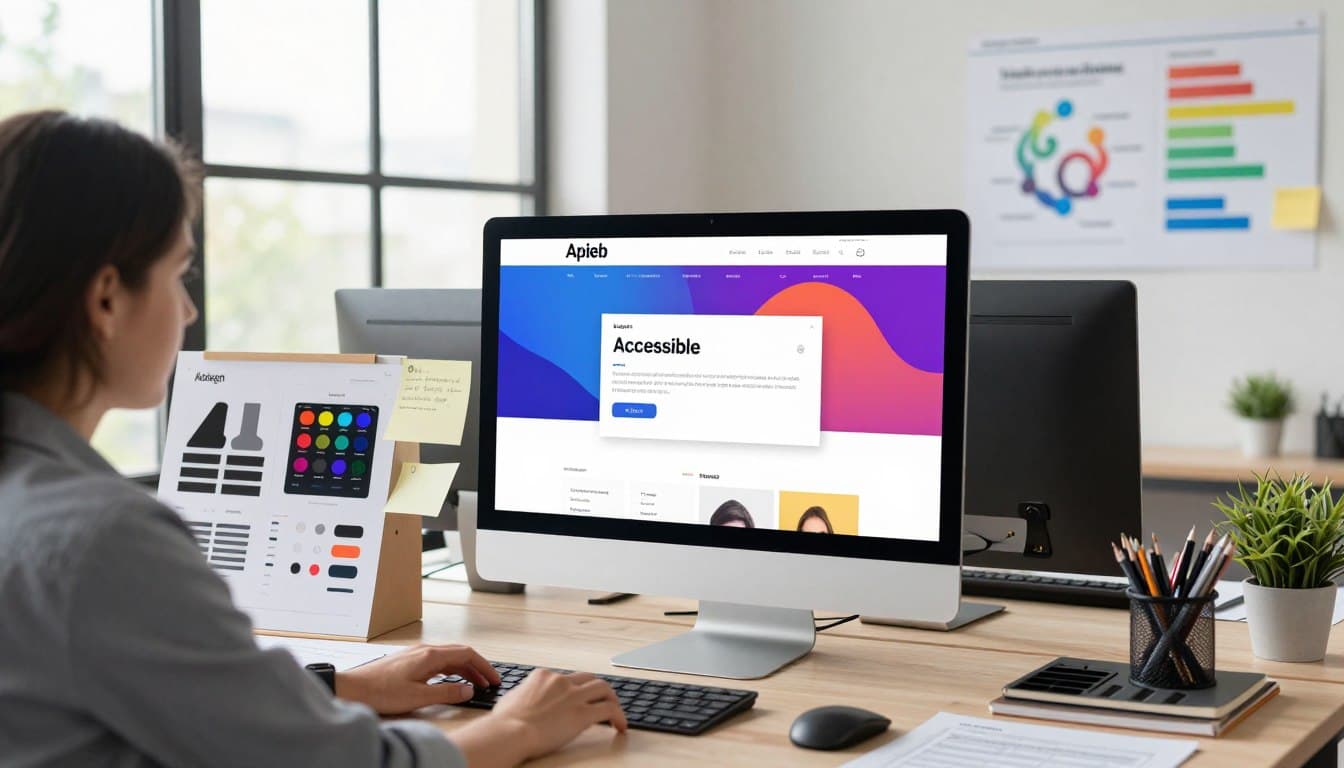
Essential Accessible Web Design Principles for Inclusivity
Imagine an online world where everyone explores the internet without any hurdles. Building effective interfaces is not just a passing trend; it is a vital goal for modern American brands. By focusing on inclusive design, we ensure that every visitor feels truly welcome.
Digital spaces remain open to all people, regardless of their physical or cognitive abilities. When we develop platforms with empathy, we naturally reach a much larger and more diverse audience. This positive strategy helps businesses grow while fostering a much kinder online community.

Many users rely on screen readers or custom keyboards to navigate the web today. If a site lacks a clear structure, these individuals face frustrating and invisible walls. Universal access means removing those barriers so that every single person succeeds.
Let’s explore how these thoughtful methods change the way we interact with modern technology. Small adjustments can make a massive difference in how someone views your digital content. This guide will walk you through core concepts for your upcoming project.
Key Takeaways
- Web accessibility creates equal opportunities for all internet users.
- Empathy-driven development expands your total potential audience.
- Custom tools like screen readers require clear site structures.
- Removing digital barriers improves overall brand loyalty and trust.
- Inclusive methods foster a more welcoming online environment.
Understanding Web Accessibility and Its Impact
As the internet continues to play a vital role in our daily lives, ensuring web accessibility has become a top priority. Web accessibility is about creating digital experiences that are inclusive and usable by everyone, regardless of their abilities or disabilities.
What Web Accessibility Means in Practice
In practice, web accessibility involves designing and developing websites that are perceivable, operable, understandable, and robust (POUR). This means considering factors such as clear navigation, consistent layouts, and alternative text for images. For instance, providing alternative text for images allows screen readers to describe the content to visually impaired users.
Some key aspects of web accessibility in practice include:
- Using clear and simple language
- Providing closed captions for video content
- Ensuring that interactive elements can be accessed using a keyboard
- Making sure that the website is compatible with different browsers and devices
The Business Case for Inclusive Digital Experiences
Investing in web accessibility is not only a moral imperative but also a sound business strategy. By making your website accessible, you can reach a wider audience, improve user experience, and enhance your brand reputation. Moreover, accessible websites tend to have better search engine optimization (SEO), as many accessibility features align with SEO best practices.
Some benefits of inclusive digital experiences include:
- Increased customer satisfaction and loyalty
- Improved brand image and reputation
- Better search engine rankings
- Compliance with legal requirements and reduced risk of lawsuits
Legal Requirements and WCAG Standards
Web accessibility is not just a good practice; it's also a legal requirement in many countries. The Web Content Accessibility Guidelines (WCAG) are widely regarded as the standard for web accessibility. WCAG provides a comprehensive set of guidelines for making web content more accessible, covering aspects such as perceivability, operability, understandability, and robustness.
Understanding and implementing WCAG standards is crucial for ensuring that your website is accessible and compliant with legal requirements. This includes following guidelines for color contrast, font sizes, and navigation, among others.
The Four Principles of Accessible Design (POUR)
The foundation of accessible web design lies in the four principles known as POUR, which stands for Perceivable, Operable, Understandable, and Robust. These principles are designed to ensure that websites are accessible and usable by everyone, including people with disabilities.
Perceivable: Making Content Available to All Senses
Making content perceivable means that users must be able to perceive the information being presented in different ways. This involves providing alternatives to visual or auditory content.
Text Alternatives for Non-Text Content
Providing text alternatives for non-text content, such as images and videos, is crucial. This can be achieved through the use of alt text for images and transcripts for audio and video content.
- Use descriptive alt text for all images.
- Provide transcripts for audio and video content.
- Ensure that all non-text content has a text alternative.
Adaptable Layouts and Presentation
Adaptable layouts ensure that content can be presented in different ways without losing information or structure. This includes using responsive design that adapts to different screen sizes and devices.
Operable: Ensuring Functionality for All Users
Operable means that users must be able to operate the interface and navigate the website. This involves ensuring that all functionality is available through various means, such as keyboard navigation.
Time-Based Interactions and Adjustments
Time-based interactions, such as timeouts and animations, should be adjustable or avoidable. Users should be able to control the timing of these interactions to ensure they can use the website effectively.
- Allow users to adjust or turn off time limits.
- Provide warnings for session timeouts.
- Avoid using animations that cause seizures or distractions.
Understandable: Creating Clear and Predictable Interfaces
Understandable interfaces are those that are clear and predictable. This involves using simple language, consistent navigation, and avoiding unexpected changes.
To achieve this, designers should:
- Use clear and simple language in content.
- Ensure consistent navigation and layout.
- Avoid unexpected changes in content or layout.
Robust: Building for Current and Future Technologies
Robust design ensures that websites work with current and future technologies, including assistive technologies like screen readers.
This involves using standard HTML and CSS, testing with different browsers and devices, and ensuring compatibility with assistive technologies.
Color Contrast and Visual Design Considerations
Effective color contrast is crucial for ensuring that your website is accessible to all users, including those with visual impairments. Visual design elements, such as color and contrast, play a significant role in creating an inclusive web experience.
Meeting WCAG Color Contrast Ratios
The Web Content Accessibility Guidelines (WCAG) provide specific recommendations for color contrast ratios to ensure that content is readable for most users.
Normal Text Contrast Requirements
For normal text (less than 18pt or 14pt bold), the contrast ratio should be at least 4.5:1 against the background.
Large Text and Graphical Elements
Large text (at least 18pt or 14pt bold) and graphical elements require a contrast ratio of at least 3:1.
Designing for Color Blindness and Visual Impairments
Designers should consider users with color vision deficiency and other visual impairments when selecting colors.
- Use a color palette that is accessible to users with color blindness.
- Avoid relying solely on color to convey important information.
Using Color as a Secondary Indicator
Color should not be the sole method of conveying information. Instead, use it as a secondary indicator to support other visual cues.
| Contrast Ratio | Readability Impact | User Experience |
| High (7:1 or higher) | Very readable | Excellent for all users |
| Medium (4.5:1 to 7:1) | Readable | Good for most users |
| Low (less than 4.5:1) | Difficult to read | Poor for users with visual impairments |
Typography and Readability Standards
Accessible typography is not just about aesthetics; it's a fundamental aspect of creating an inclusive digital experience. The way text is presented on a website can significantly affect how users consume and interact with the content.
Clear and readable typography is essential for ensuring that all users, including those with visual impairments, can access the information on a website. This involves making informed decisions about font families, sizes, line spacing, and text alignment.
Choosing Accessible Font Families and Styles
The choice of font family and style can greatly impact readability. Serif fonts, such as Times New Roman, are often considered more readable in print, while sans-serif fonts, like Arial and Helvetica, are generally preferred for digital media. It's also important to avoid fonts that are overly decorative or have unusual characteristics that might reduce legibility.
When selecting fonts, consider using clear and simple font styles that are designed for digital use. Fonts like Open Sans and Lato are popular choices for their readability on various devices.
Optimal Font Sizes and Responsive Scaling
Font size is another critical factor in typography. Using relative units such as percentages or ems allows for more flexible and responsive design. This ensures that text scales appropriately across different devices and screen sizes.
A minimum font size of 16 pixels is often recommended for body text to ensure readability on most devices. Additionally, allowing users to resize text without breaking the layout is crucial for accessibility.
Line Spacing, Line Length, and Text Alignment
Line spacing, or leading, affects how easily users can read through content. Adequate line spacing improves readability by reducing visual clutter. A line height of at least 1.5 times the font size is generally recommended.
Line length also plays a role in readability. Lines that are too long can be difficult to follow, while lines that are too short can cause unnecessary breaks in the reading flow. A line length of around 70 characters is often considered optimal.
Text alignment can also impact readability. Left-aligned text is generally easier to read, especially for languages that read from left to right, as it provides a consistent starting point for each line.
Maintaining Readability Across Devices
Ensuring that typography remains readable across various devices is crucial. This involves using responsive design techniques to adapt font sizes, line spacing, and other typographic elements based on the device and screen size.
By focusing on these aspects of typography, web designers can create more inclusive and accessible digital experiences that cater to a wide range of users.
Keyboard Navigation and Focus Management
Keyboard navigation is a fundamental aspect of web accessibility, enabling users to navigate and engage with digital content without relying on a mouse. This capability is essential for individuals with mobility or dexterity impairments who cannot use a mouse. Effective keyboard navigation ensures that all interactive elements are accessible using a keyboard, thereby enhancing the overall user experience.
Implementing Logical Tab Order
A logical tab order is crucial for facilitating smooth keyboard navigation. It involves arranging interactive elements in a sequence that follows the visual order of the content, typically from top to bottom and left to right. This sequence should be intuitive and consistent across the website.
To achieve a logical tab order, designers should:
- Ensure that all interactive elements (links, buttons, form fields) are focusable.
- Use a consistent and predictable order for tabbing through content.
- Avoid using positive tabindex values, as they can disrupt the natural tab order.
Creating Visible and Clear Focus Indicators
Visible focus indicators are vital for keyboard users, as they provide a clear visual cue about which element currently has focus. These indicators should be highly visible and distinguishable from the surrounding content.
Styling Focus States Effectively
When styling focus states, it's essential to ensure that they are not only visually appealing but also highly visible. This can be achieved by using a combination of color, contrast, and outline styles that are consistent across the website.
Best practices include:
- Using a high contrast color for the focus indicator.
- Avoiding reliance solely on color to indicate focus.
- Ensuring that the focus indicator is not obscured by other elements.
Skip Navigation Links and ARIA Landmarks
Skip navigation links and ARIA landmarks are powerful tools for enhancing keyboard navigation. Skip navigation links allow users to bypass repetitive content (like navigation menus) and jump directly to the main content of a page.
ARIA landmarks help screen reader users and keyboard navigators understand the structure of a webpage by identifying key regions such as the header, navigation, main content, and footer.
Implementing these features involves:
- Adding "Skip to content" links at the top of pages.
- Using ARIA landmark roles (e.g., banner, navigation, main, contentinfo) on key structural elements.
Managing Focus for Dynamic Content and Modals
Dynamic content and modals present unique challenges for keyboard navigation. When content is dynamically loaded or when modals are opened, it's crucial to manage focus effectively to ensure a seamless user experience.
Strategies for managing focus include:
- Trapping focus within modals to prevent it from shifting to the background content.
- Returning focus to a logical element when a modal is closed.
- Ensuring that dynamically loaded content is inserted into the tab order in a logical manner.
Form Accessibility and Input Design
Creating accessible forms is not just about compliance; it's about providing an inclusive experience for all users. Forms are a critical component of many websites, and their accessibility is paramount for ensuring that everyone can interact with your site effectively.
Proper Label Association and Clear Instructions
One of the fundamental aspects of form accessibility is ensuring that labels are properly associated with their respective input fields. This is achieved using the for attribute in HTML, which links the label to the input element by matching it to the input's id attribute.
Best Practice: Always use explicit label association rather than implicit labeling, which can be confusing for screen readers and other assistive technologies.
Using Placeholder Text Correctly
Placeholder text can be useful for providing examples or additional guidance, but it should not be relied upon as the sole means of conveying important information. Screen readers may not always announce placeholder text, so critical instructions should be provided outside of the placeholder.
Tip: Use placeholder text sparingly and ensure that it does not replace visible labels or instructions.
Error Identification and Prevention Strategies
Error prevention and identification are crucial for accessible form design. Users should be clearly informed about any errors they make, and the form should provide suggestions for correction when possible.
- Clearly identify fields that are required or have specific formatting needs.
- Provide real-time feedback for errors when it doesn't interfere with the user's input flow.
- Use ARIA attributes to dynamically update the form's status for screen readers.
Accessible Form Validation and Feedback
Form validation is essential for ensuring that users provide the necessary information in the correct format. However, validation should be implemented in an accessible manner.
Real-Time vs. Post-Submission Validation
Both real-time and post-submission validation have their places in accessible form design. Real-time validation can help users correct errors as they go, while post-submission validation can provide a comprehensive summary of errors.
| Validation Type | Benefits | Considerations |
| Real-Time Validation | Immediate feedback, reduces user frustration | Can be intrusive if not implemented carefully |
| Post-Submission Validation | Comprehensive error summary, less intrusive | May require users to scroll or navigate to find errors |

Multimedia Content and Alternative Text
Accessible multimedia content is not just a best practice, but a necessity for creating an inclusive online environment. Multimedia content, including images, videos, and audio, must be made accessible to all users to ensure equal access to information.
Making multimedia content accessible involves several key strategies, including providing alternative text for images, captions and transcripts for video content, and audio descriptions for visual information.
Writing Effective Alt Text for Images and Graphics
Alternative text, or alt text, is a crucial element in making images accessible to users who are blind or have low vision. Alt text provides a description of the image, allowing screen readers to convey the information to the user.
Decorative vs. Informative Images
Not all images require alt text. Decorative images, which do not convey important information, can be marked as such to avoid unnecessary clutter for screen reader users. On the other hand, informative images require detailed alt text to ensure that all users can understand the content.
Providing Captions and Transcripts for Video Content
Video content is another critical area where accessibility is essential. Providing captions and transcripts ensures that users who are deaf or hard of hearing can access the information.
Captions should be synchronized with the audio and provide a clear representation of the dialogue and other relevant sounds. Transcripts, on the other hand, provide a written version of the entire video content, including descriptions of visual elements.
Audio Descriptions for Visual Information
Audio descriptions are an essential component of making video content accessible to users who are blind or have low vision. Audio descriptions provide a verbal description of the visual elements in a video, such as actions, settings, and facial expressions.
Accessible PDF and Downloadable Document Design
Finally, ensuring that PDFs and downloadable documents are accessible is crucial for inclusivity. This involves using clear and consistent layouts, providing alternative text for images, and ensuring that the content is readable by screen readers.
By implementing these strategies, you can ensure that your multimedia content is accessible to all users, regardless of their abilities.
Testing Your Website for Accessibility
Ensuring your website is accessible requires a comprehensive testing approach. This involves using a combination of automated tools, manual testing, and user testing with individuals with disabilities to identify and address accessibility issues.
Automated Testing Tools and Their Limitations
Automated testing tools are a good starting point for identifying accessibility issues. They can quickly scan your website for common problems such as missing alt text, incorrect header nesting, and color contrast issues.
Popular accessibility testing tools include WAVE, Lighthouse, and axe. While these tools are useful, they have limitations. They cannot detect all accessibility issues, such as those related to complex interactions or nuanced content understanding.
Popular Accessibility Testing Tools
| Tool | Description | Key Features |
| WAVE | Evaluates web accessibility by checking for issues like missing alt text and color contrast | Detailed report, browser extension available |
| Lighthouse | An open-source, automated tool for improving web page quality | Performance, SEO, and accessibility audits |
| axe | A fast and lightweight accessibility testing engine | Integrates with popular testing frameworks, customizable rules |
Manual Testing with Keyboard and Screen Readers
Manual testing involves using your website with assistive technologies like keyboard-only navigation and screen readers. This helps identify issues that automated tools might miss.
For instance, using a screen reader like NVDA or VoiceOver can reveal problems with content order, button labels, and dynamic content updates.
NVDA, JAWS, and VoiceOver Testing Approaches
- NVDA: A free, open-source screen reader for Windows. Test by navigating your site using NVDA commands and checking for logical content flow.
- JAWS: A popular screen reader for Windows. Use JAWS to test for proper announcement of interactive elements and content.
- VoiceOver: A screen reader built into macOS and iOS devices. Test with VoiceOver to ensure that your site is navigable and understandable.
As
"The power of the Web is in its universality. Access by everyone regardless of disability is an essential aspect." - Tim Berners-Lee
Including Users with Disabilities in User Testing
Involving users with disabilities in your testing process provides invaluable insights into the real-world accessibility of your website. It helps identify issues that might not be caught through automated or manual testing alone.

By combining automated testing, manual testing with assistive technologies, and user testing with individuals with disabilities, you can ensure that your website is truly accessible and usable by everyone.
Conclusion
Creating an inclusive digital landscape requires a deep understanding of accessible design principles. By implementing these principles, designers and developers can craft experiences that are usable by everyone, regardless of their abilities.
Accessible design is not just a moral imperative; it's also a business opportunity. Companies that prioritize inclusive digital experiences can expand their reach and improve user satisfaction.
As we've explored throughout this article, accessible design encompasses a range of considerations, from color contrast and typography to keyboard navigation and multimedia content. By integrating these elements, we can build a more inclusive web.
The journey to creating inclusive digital experiences is ongoing, but with the right knowledge and tools, we can make significant strides. Let's continue to push the boundaries of what's possible in accessible design.